Google Earth Pro is a useful tool to watch the 3d view of the surface of Earth. It is a free 3D map service of Earth that provides a 3-dimensional view of Earth’s surface based on satellite imagery. Google Earth displays satellite imagery, aerial photography, and GIS data on a map on a 3D globe, which is useful for users to view cities and landscapes from different angles. It also allows you to surf virtually anywhere on Earth. Download Google Earth Pro for Windows PC for a free app to surf and explore the Earth’s surface virtually. People also use Google Earth as an alternative to Google Maps.
How to Explore the Earth on Google Earth Pro?
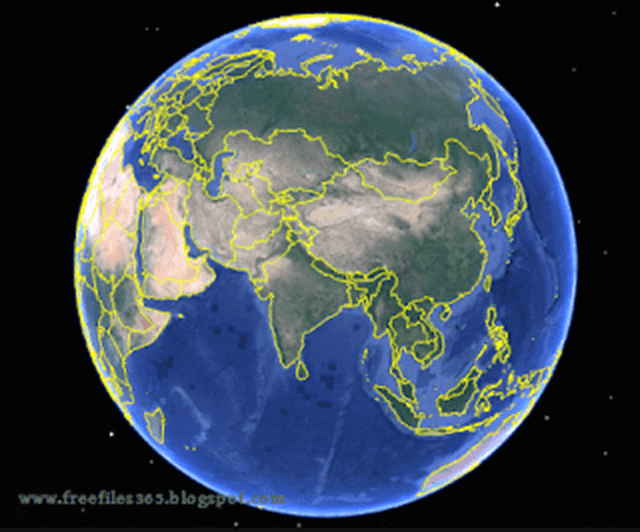
After installing this virtual globe software, a user can access and explore any part of the earth on that virtual globe by entering the address. The user can also rotate, zoom, and tilt the view of any place. It allows users to use the “Explore” tab to find guided tours, 3D buildings, and terrains, and also gives users intuitive 3D control over the virtual globe.
To navigate in the app, users can use the mouse or keyboard keys. Using the mouse, you can drag to pan, scroll to zoom, and hold Alt+drag to tilt or rotate the view. You can use keyboard arrow keys for movement, the top-left search bar to search for specific locations, the little yellow Pegman on streets for Street View, and use the “Explore” tab or layers to find guided tours, 3D buildings, and other features, giving you intuitive 3D control over the virtual globe.
How to install Google Earth Pro?
If you want to install Google Earth on your PC, then you can use its offline installer. First, get the installer using the link below. This is the Google Earth Pro official link to get the offline installer, hence it is 100% free and safe. After downloading, double-click on the installer and allow the installer to install the program on your PC. Then accept the terms and conditions of Google Earth, and then follow the next onscreen instructions to complete the installation process.
You can use this offline installer file to install Google Earth Pro on Windows 11, 10, 8, and Windows 7. It is also available for other platforms such as Android, Mac, Linux, etc.
Google Earth vs Google Earth Pro:
Until a few years ago, Google Earth Pro was a premium software, but in 2015, Google authorities announced that the Google Earth Pro version would be free for all users. Users don’t have to purchase to use the pro version, and everyone can avail themselves of the premium features for free. So, get the pro version today and use all the premium features and get high-quality images for free.
Google Earth Pro Software details:
- Software Name: Google Earth Pro
- Website: google.com/earth
- Software Author Name: Google Inc
- Version: 7.3.6 (Latest version)
- License: Freeware
- Installer Type: Offline Installer
- Software Category: Travel/Virtual Globe
- Supporting Operating Systems: Windows XP / Windows Vista / Windows 7 / Windows 8.1 / Windows 10/ Windows 11 (32 and 64 bit)
Note that to use Google Maps/Google Earth, you must accept (1) the Google Terms of Service, and (2) these Google Maps/Google Earth Additional Terms of Service (the “Maps/Earth Additional Terms”). The Maps/Earth Additional Terms incorporate by reference the Legal Notices for Google Maps/Google Earth and Google Maps/Google Earth APIs, and Google’s Privacy Policy.
Download Google Earth Pro Offline Installer:
Click the link below to download the installer for Windows 64-bit and 32-bit PCs.
Get it for Windows 32-bit PC
Get it for Windows 64-bit
Download Google Earth Pro for Mac:
What’s new in Google Earth 7.3.6
Here are highlights of the fixes, changes, and improvements that were made in this release of Google Earth Pro:
- Movie Maker tool:
- Hardware-accelerated video encoding for faster processing and better image quality.
- HEVC (H.265) codec support.
- Full navigation controls, including Historical Imagery and Street View, are available in live recording mode.
- Better responsiveness during live recording.
- Can defer video encoding until after live recording is finished.
- In live recording mode, less obtrusive recording status dialog.
- Live recordings accurately show the timing of user actions during the recording session.
- Save video frames in QOI image format.
- Break apart a multi-geometry placemark into individual placemarks.
- Combine multiple selected placemarks into a single Multi Geometry place mark.
- Import GeoJSON files.
- Improved printing tool quality.
- Adjusted Google Earth logo size in main view, saved images, and printouts.
- Windows: Automatically support high-DPI displays.