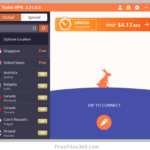
Proton VPN for Windows is a premium-grade free VPN software, designed to provide users with a high-speed virtual private network while prioritizing absolute privacy. It hides your device’s IP address and masks your online activities, letting you unblock access to geographically restricted websites effortlessly. Even though it is a free Virtual Private Network service, it offers no ads, no logs, and does not limit your bandwidth.
Download Proton VPN for Windows PC for free today and hide your device’s IP address and your online activities. This free VPN is best for unlimited privacy and daily use as it is the only truly “unlimited” free VPN with no data caps or speed throttling, ensuring a seamless experience.
Why Choose Proton VPN for Windows?
If you are looking for a trusted and reliable VPN software for Windows computers that provides unlimited bandwidth 24×7 for free of cost, Proton VPN is one of the best free VPN Software available. It is backed by strict Swiss privacy laws, ensuring your data remains yours alone.
It is available for all modern and legacy Windows versions, including Windows 11, 10, 8, and the classic Windows 7 (32 and 64-bit) systems. While the free version is completely sufficient for daily browsing, Proton also offers a “Plus” paid version with advanced tools like high-speed 10 Gbps servers, streaming support, and NetShield ad-blocking.
Like Privado VPN and Windscribe, Proton VPN features a “set it and forget it” interface perfect for 24/7 protection. Because there is no data cap, you never have to worry about running out of bandwidth, making it ideal for background security and anonymous web browsing.
Key Features of Proton VPN
Proton VPN is popular for its commitment to transparency. Some of the standout features include:
- Unlimited Bandwidth: Unlike most “free” VPNs that limit your data to 2–10 GB, Proton VPN allows you to browse, work, and learn without caps.
- No-Logs Policy: Proton VPN keeps no logs of your activity. Under Swiss law, they cannot be obligated to track or share your data.
- Open-Source and Audited: All Proton VPN apps are open-source and independently audited by security experts, making the software risk-free and transparent.
- Bypass Censorship: Easily defeat firewalls and government restrictions to access the open internet from anywhere in the world.
- Strong Encryption: Uses robust protocols like WireGuard and OpenVPN with AES-256 or ChaCha20 encryption.
- Kill Switch: Protects your IP address by automatically cutting your internet connection if the VPN link is ever interrupted.
- Swiss Privacy Laws: When you use this free VPN app, you will benefit from one of the world’s most privacy-friendly jurisdictions, keeping you outside of mass surveillance alliances.
- No Privacy-Invading Ads: Enjoy a clean experience without trackers, malicious scripts, or targeted advertisements.
Is Proton VPN Free?
Proton VPN provides a free VPN with a paid option. But, the ProtonVPN free version is enough and perfect for personal use. Unlike the other free VPN providers, it doesn’t impose any limitations on bandwidth. You can use free VPN data as much as you want every month. But, in the free version, you are limited to only one device and you can choose only three server locations with medium speed. But the paid versions offer several other benefits like high-speed VPN, all countries, 2 to 10 devices, and many more extra features.
[Related Application]
Tor Browser download for Windows

The official links to download Proton VPN free for Windows PC are listed below.
Technical details:
- Name: ProtonVPN
- Developer(s): Proton Technologies AG
- Website: protonvpn.com
- Category: Privacy & Security / VPN
- Installer Type: Standalone installer.
- License: Free for Personal use (GPLv3)
- OS Required: Windows 11, 10, 8, 7 (32 & 64 bit)
- Version: 5.1.6
- Size: 124 MB
- Free alternatives: Windscribe VPN, Planet VPN, OpenVPN
Download Proton VPN Free for Windows PC:
Proton VPN Windows 7, 8, and Windows 32-bit:
If you are using an old Windows 7, Windows 8, or a 32-bit version of Windows, then download Proton VPN 2.4.3 from the link below:
Do you know that Tor Browser works just like Proton VPN and offers complete online privacy and anonymity? Yes right, you can use Tor to surf the internet without any restrictions for free.
How to Install Proton VPN on Windows:
You can follow the steps below to easily install ProtonVPN on your Windows PC:
First, get the Proton VPN installer for Windows using the links listed above..
Run the Installer: Once the .exe file finishes downloading, double-click it to start the setup wizard.
Language Selection: Choose your preferred language and click “OK.”
Install: Follow the on-screen prompts. You can choose to install other Proton apps (like Proton Pass or Drive) during this step if desired.
Connect: Once installed, launch the app, sign in with your Proton account, and click the “Quick Connect” button. The app will automatically connect you to the fastest available free server for your location.